
Home
A simple Director's Viewfinder app for Android
Kader is a streamlined director’s viewfinder app built for the modern Android ecosystem.
Kader is a streamlined director’s viewfinder app built for the modern Android ecosystem. Built by a working cinematographer for filmmakers of all kinds, Kader does one thing perfectly: it lets you visualize your shot without the headache.
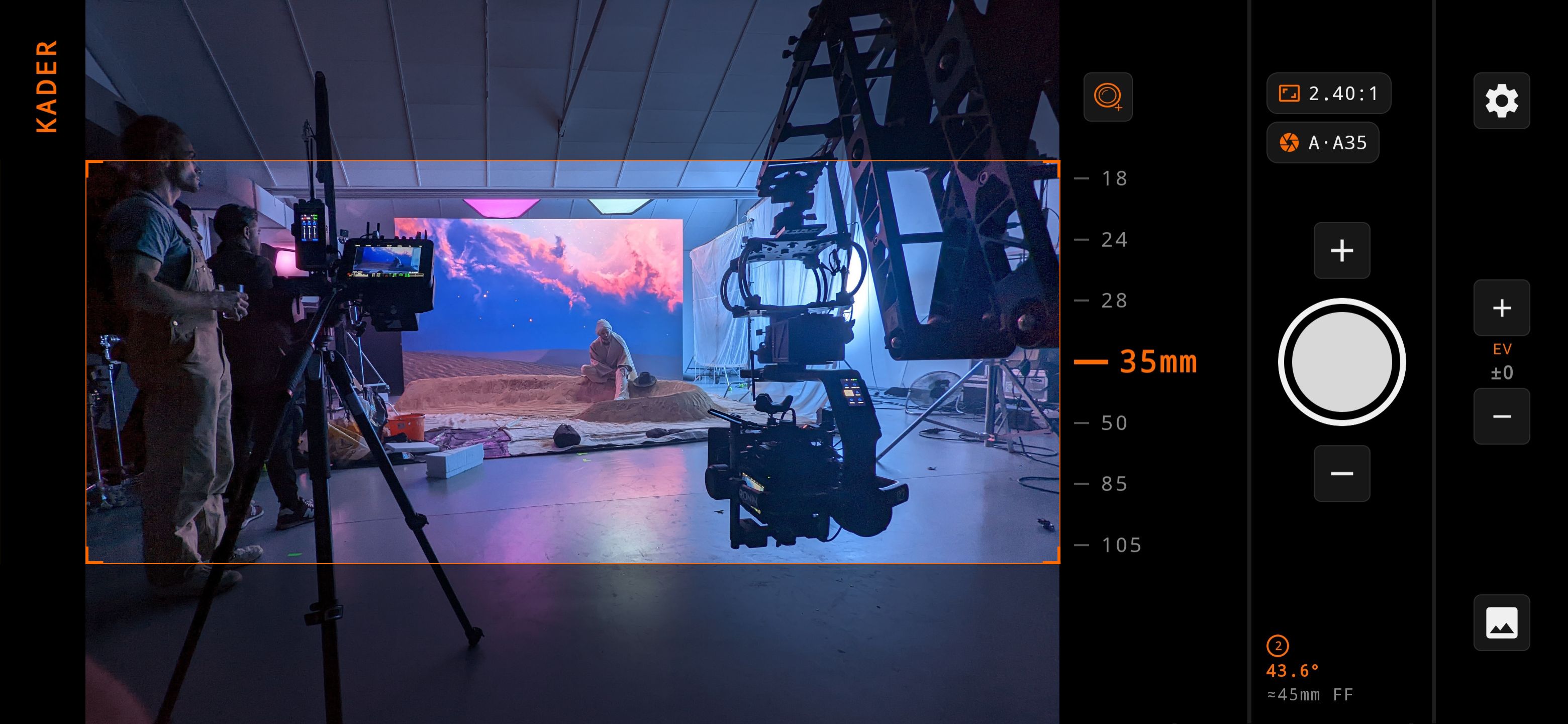
Key Features
Simplicity at its core
Native Lens Switching
Wide, Tele, Ultra-wide
Effortlessly toggle between your phone’s Ultra-Wide, Wide, and Telephoto lenses with a single tap. The app automatically chooses the lens that requires the least amount of cropping. Available on supported devices.
Custom Aspect Ratios
9:16 through to 2.40:1
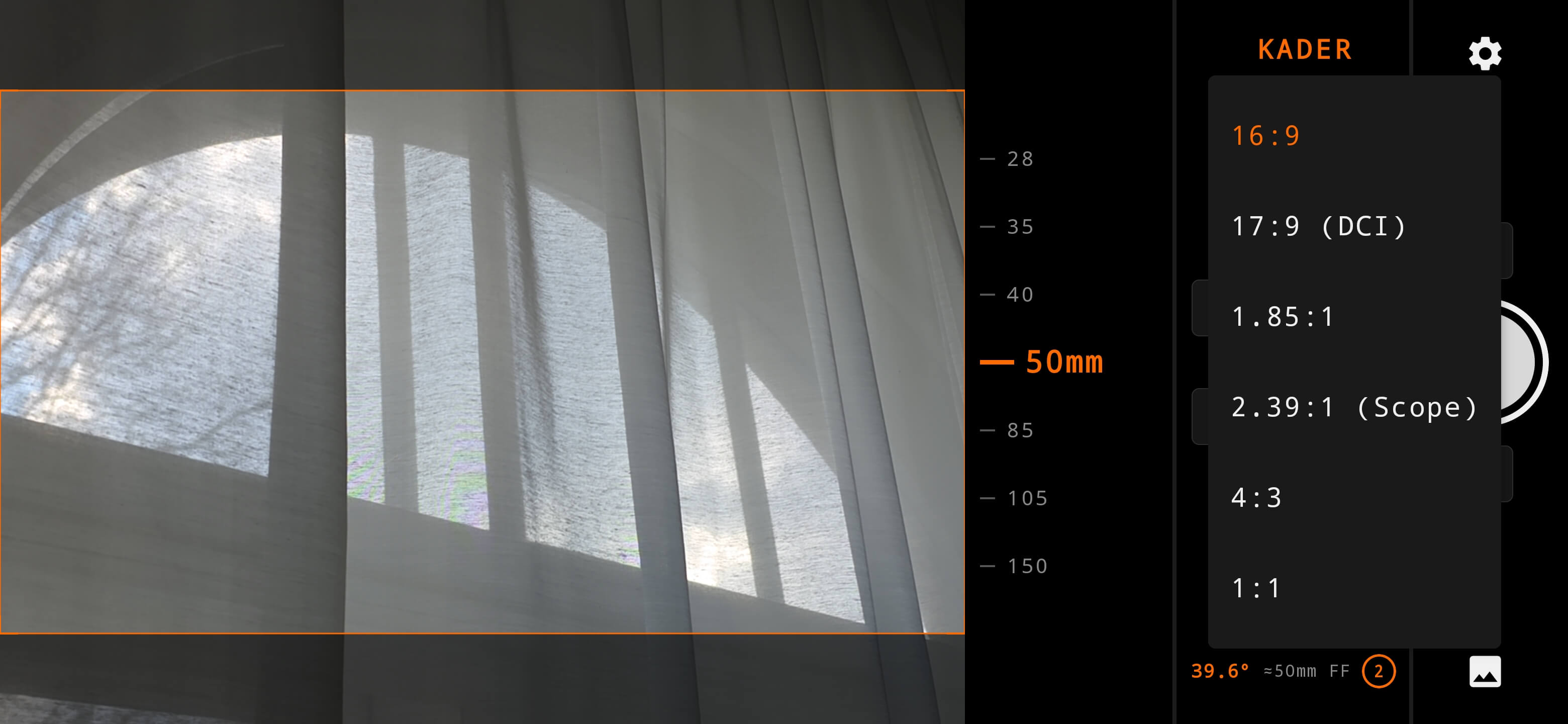
Kader comes with a preconfigured list of the most common aspect ratios. When selected, an overlay appears showing your selected aspect ratio which is then burnt-in to your captured images.
Custom Lens Lists
Add your custom lenses
Kader comes with a default lens list containing the most common focal lengths. You can add up to 20 custom focal lengths to choose between. Can't decide? Enable "zoom mode" to smoothly zoom between 4-999mm.
Made For Today
Modern & Clean
Optimized for the latest Android hardware and camera APIs. We try to ensure all devices are supported, but older ones might experience issues.
Anamorphic mode
1.33x, 1.5x & 2.0x
Kader includes a focal length multiplier for common anamorphic capture formats.
Extensive sensor sizes
Super 8 through to 75mm
Kader utilizes a constantly growing list of user-generated cameras, sensors and custom shooting modes.
Metadata Overlay
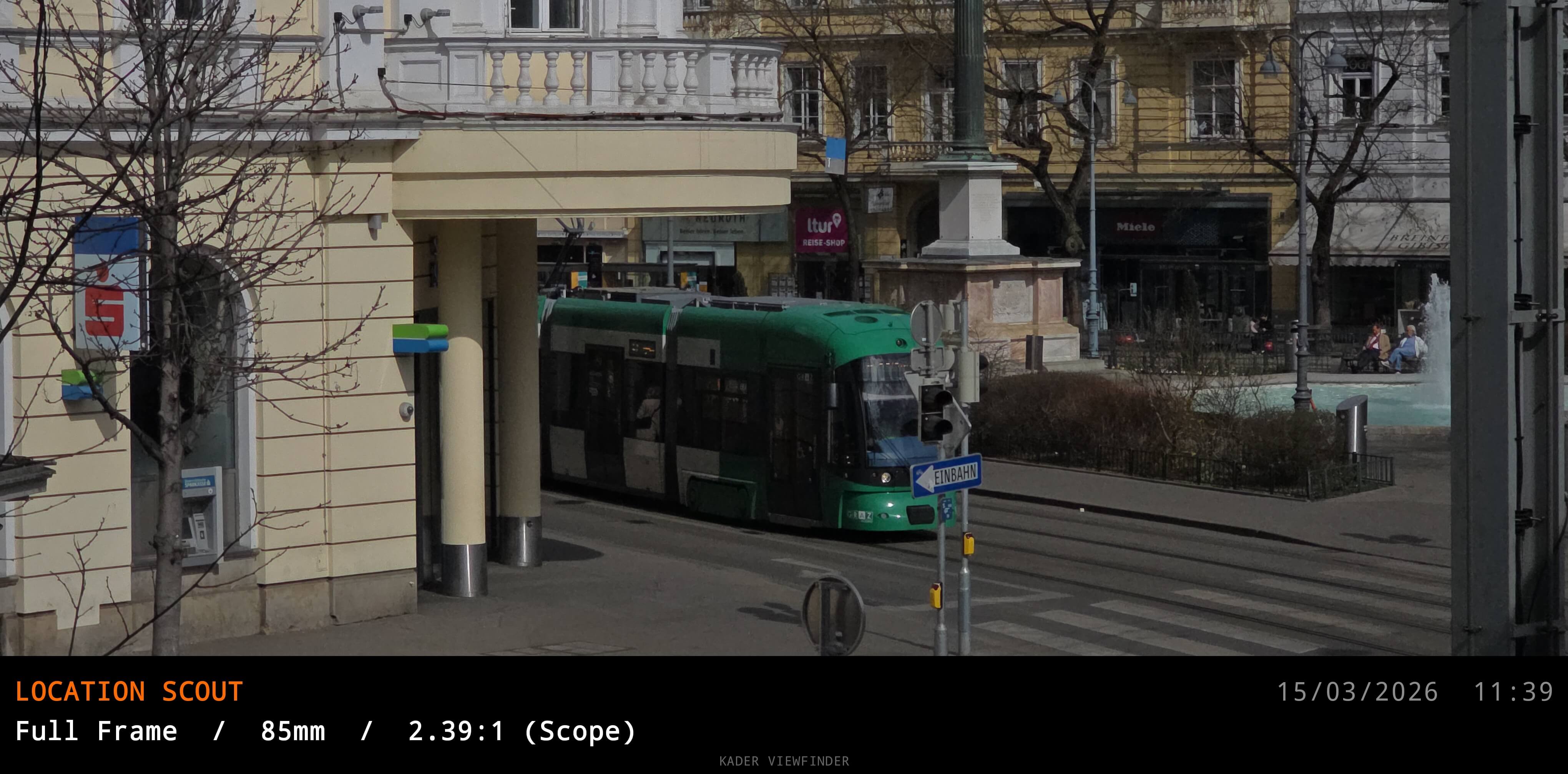
The project name & metadata chosen during image capture is burnt-in to the captured image file and saved to your device
Custom Aspect Ratio Selection
Choose between a variety of aspect ratio presets
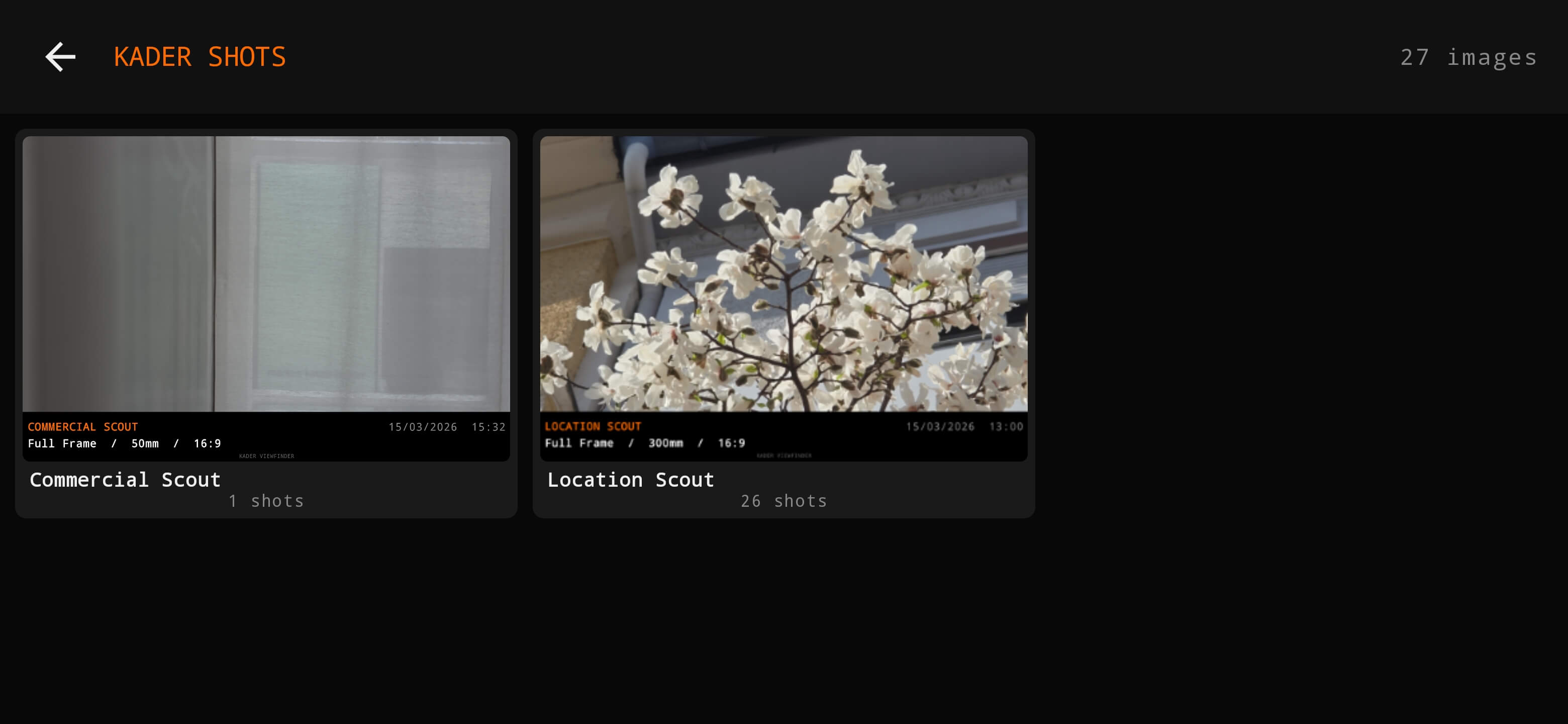
In-App Albums
Keep your location scout captures sorted with in-app project and scene albums
Why this app was created
As a working DOP, I got tired of opening viewfinder apps that hadn't been updated in years, only to have them lag or crash the moment a client was looking over my shoulder. I built Kader because directors need a tool that works as hard as they do - simple, clean, and modern.
Frequently Asked Questions
In-depth Kader FAQs
How accurate is the app?
During testing with various modern Android phones from different manufacturers we've found Kader to be very accurate - Kader uses the EXIF metadata from your phone's camera and if necessary, crops the image to simulate your desired focal length. In some cases it might be a few mm off - that's why there's an "offset" feature to account for this if you need 100% accuracy.
Will it work on my phone?
The reason there aren't that many Android Director's Viewfinder apps is because there are so many Android devices with varying camera hardware - Kader uses the camera metadata supplied to it by your phone and assumes that it is correct. In some cases your phone might give Kader the wrong information, which is why there's an "offeset" feature to manually account for this. At this time, NothingOS devices don't support multiple device cameras.
Can I add a custom sensor size?
Unfortunately not - that's why we included the most common sensor sizes for both digital and film capture formats.
Why isn't there a white balance option?
This app uses native Android APKs which unfortunately don't support native Kelvin white balance changes - the only way to implement this feature would be by "faking" it which would result in inaccurate Kelvin values that might confuse the user. If this changes it will be implemented ASAP.
Can I make a feature request?
Yes! Send us an email with your idea and we'll see if it's something we can implement.
Get In Touch
Feedback, feature requests & more
Send us a message about Kader - whether it's a feature request, camera/sensor addition request, a bug or issue you've found or something else, we'd love to hear from you.